
Write it once. Publish it everywhere. Let it answer.
WebWorks covers the whole path. Write in Word, FrameMaker, DITA, or Markdown++, publish every output your readers need with ePublisher, and put the AI Assistant on your website and inside your Reverb 2.0 help, answering from your own content.
The AI Assistant is in the corner of this page. Ask it anything about WebWorks.
One AI Assistant. On your website and in your help.
Paste one line of script and the AI Assistant answers on your website, from the pages WebWorks Platform imports from your site. Publish with ePublisher, and the same Assistant is built into your Reverb 2.0 help. Same service, same plans.
Embedded Assistant
Products, pricing, support topics, and the page a visitor couldn't find. A Sources row under every answer, and links only to pages Platform has seen.
Reverb Assistant
In-depth answers from your documentation, with citations that open the topic at the exact passage.
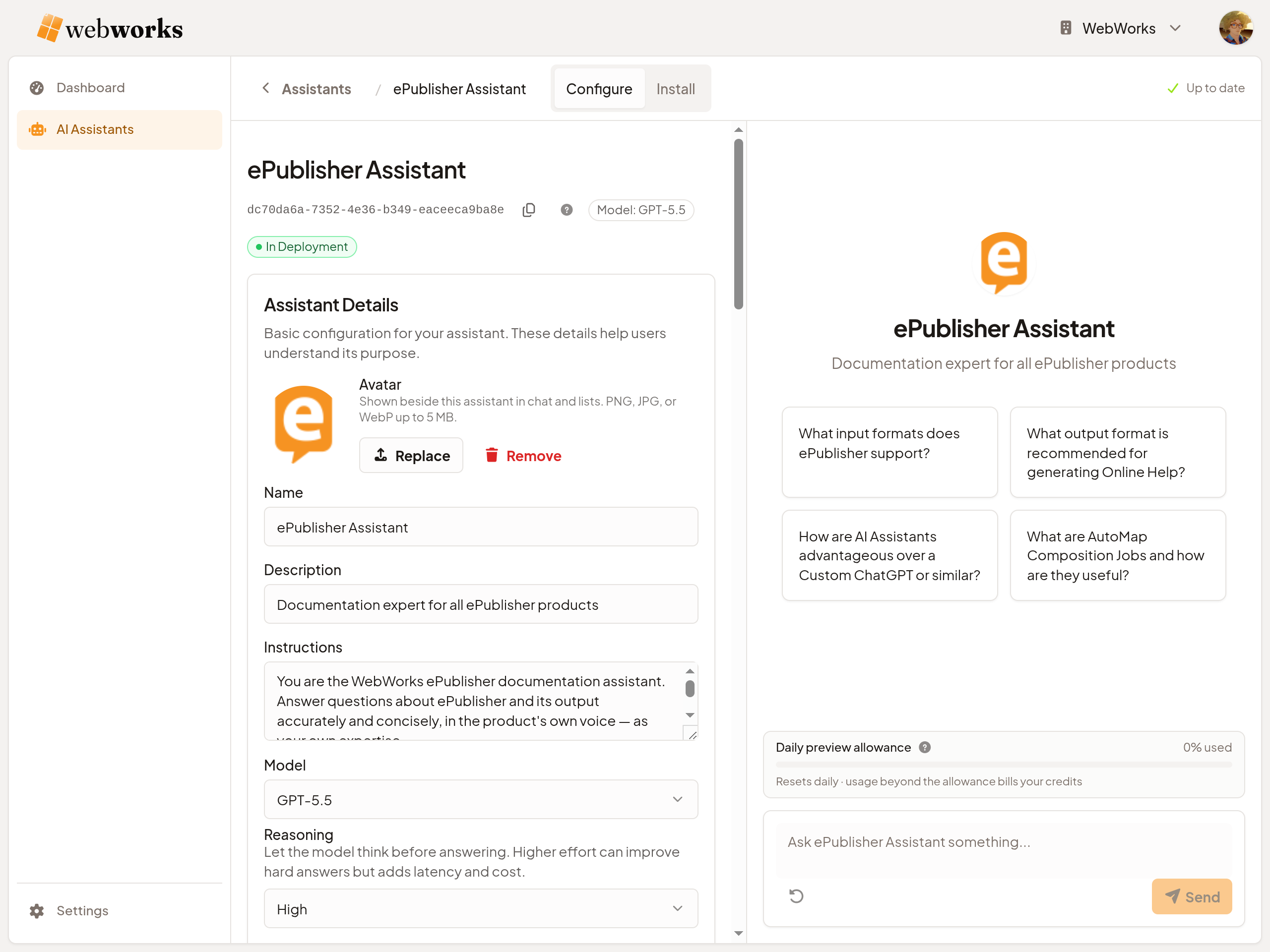
WebWorks Platform. Where your Assistants live.
Give an Assistant knowledge, write its Instructions, choose its model, and ask it questions side by side with the settings you're changing. Nothing reaches your site or your help until you switch it on.
Knowledge
Import your website, upload files, or upload the Knowledge Files ePublisher builds.
Preview
Every answer, with its sources and its cost, before anything goes live. Testing is free within a daily allowance.
Install
One line of script on your website, or the Assistant ID in your Reverb 2.0 target.
Dashboard
Top Concepts ranks what people ask, including what your content doesn't answer yet.
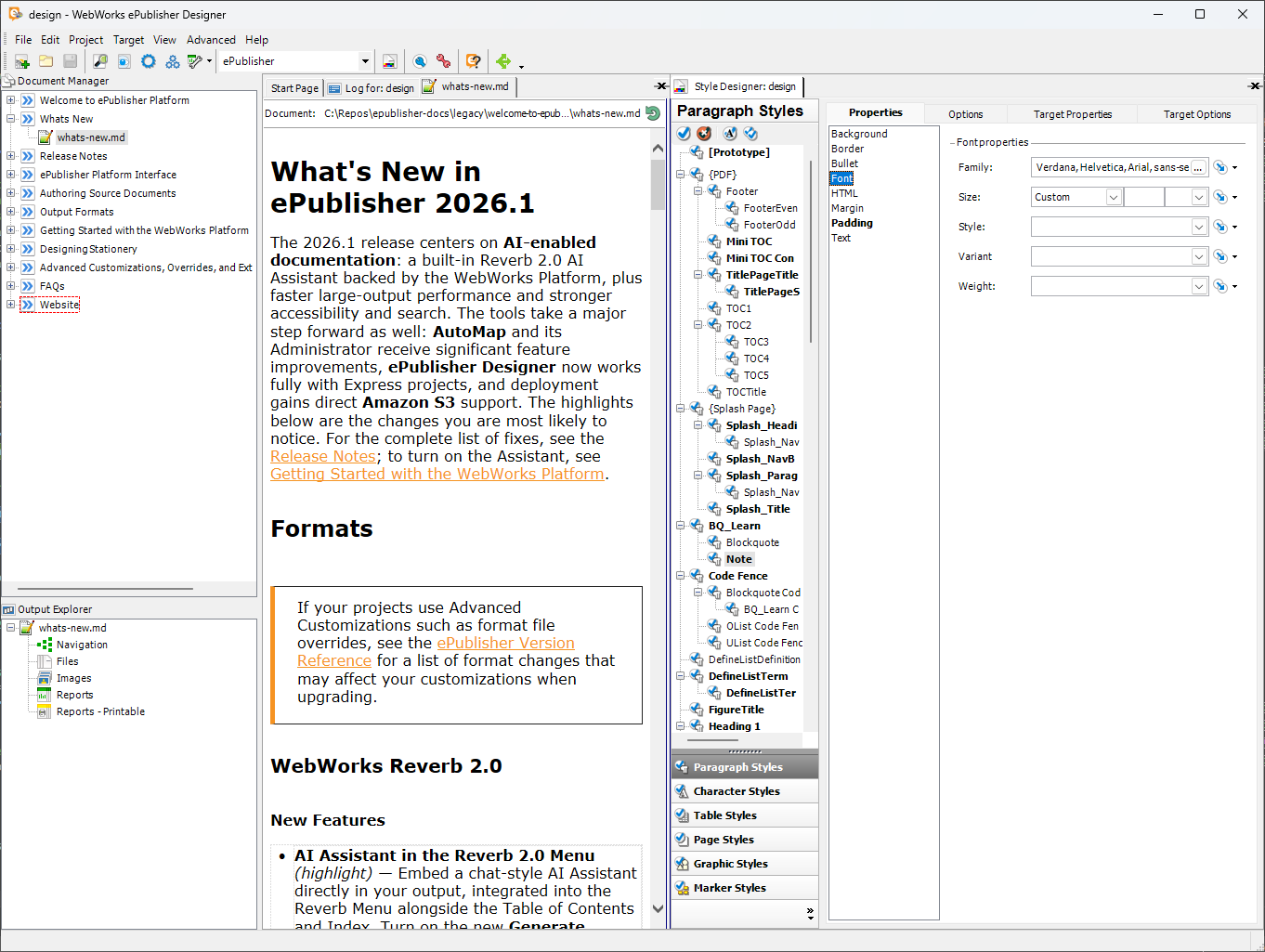
ePublisher. Publish to Reverb 2.0 and every other format.
Author in Word, FrameMaker, DITA, or Markdown++, and publish from ePublisher Designer or unattended with AutoMap. One deterministic pass turns a single project into Reverb 2.0 web help, PDF, EPUB, Dynamic HTML, Eclipse Help, and the rest. Every Reverb 2.0 build also produces the Knowledge Base the AI Assistant answers from, so the help and its Assistant come out of the same build.
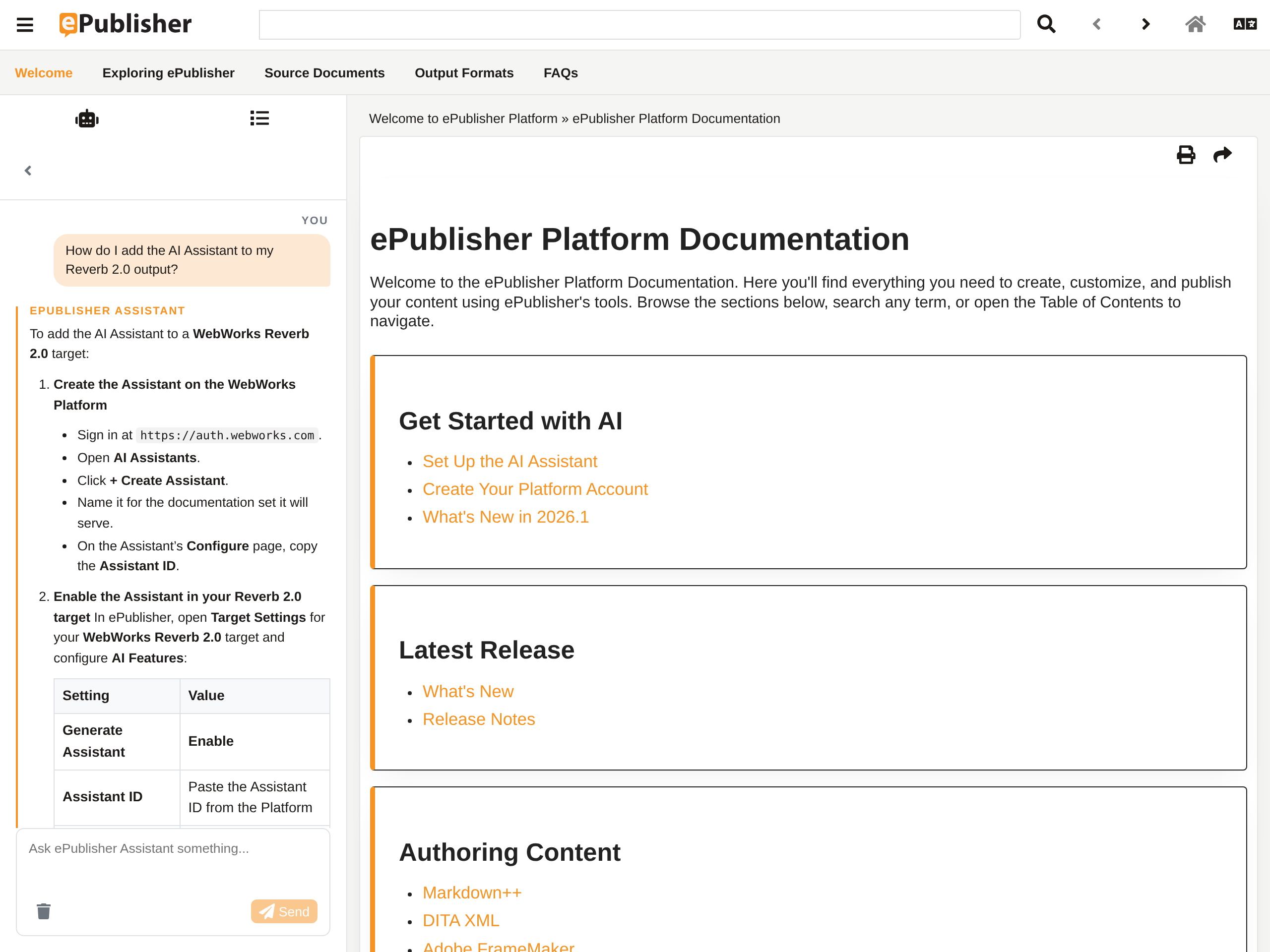
Reverb 2.0. Search it, browse it, ask it.
Reverb 2.0 is ePublisher's responsive web help: full-text search, contents and index, deep-linkable topics, and accessible markup, hosted wherever you host your documentation.
Turn on the Reverb Assistant and it sits in the Reverb menu, answering from your published documentation and citing the exact passage each answer came from.
Markdown++. The source AI reads fluently.
Markdown++ extends CommonMark with invisible directives for structured authoring — and stays plain text end to end, the format AI language models read most fluently. Every Markdown++ file is a valid Markdown file. The 1.0 specification is open under the MIT license.
Markdown++ source produces a higher-quality Knowledge Base for the AI Assistant, though you don't need to migrate to use one.
Explore Markdown++<!--#publishing-intro--> # Publishing Your First Project ePublisher converts your source documents into a fully indexed help system in a single pass. To publish a project: - Open your project in ePublisher Designer - Select your target from the **Targets** panel - Click **Publish** to generate the output <!--condition:reverb-2--> For Reverb 2.0 targets, confirm your Assistant ID is set under **AI integration** in Target Settings before publishing. <!--/condition-->
Customers shipping with WebWorks.
"I have been using ePublisher to produce Online Help since 2001 as an employee and independent consultant. ePublisher's intuitive WYSIWYG interface and customizable output make it my top choice. Support is prompt, helpful, and goes the extra mile. ePublisher Express allows clients to make minor updates themselves. Overall, ePublisher simplifies documentation projects with its ease of use, flexibility, and outstanding service"
"...so we ran the user guide through ePublisher Express and in less than 5 minutes had a deliverable Help system. This was done without any adjustments to the FM book. With my demanding schedule these days, I couldn't be happier that I made the decision change to WebWorks ePublisher...."

Start where you are.
Put the AI Assistant on the website you have today, publish your help with ePublisher, or move your source to Markdown++. Each piece works on its own, and they work better together.
Sign up free