
WebWorks Platform.
The cloud service behind the AI Assistant: on any website with one line of script, and inside the Reverb 2.0 help you publish with ePublisher.
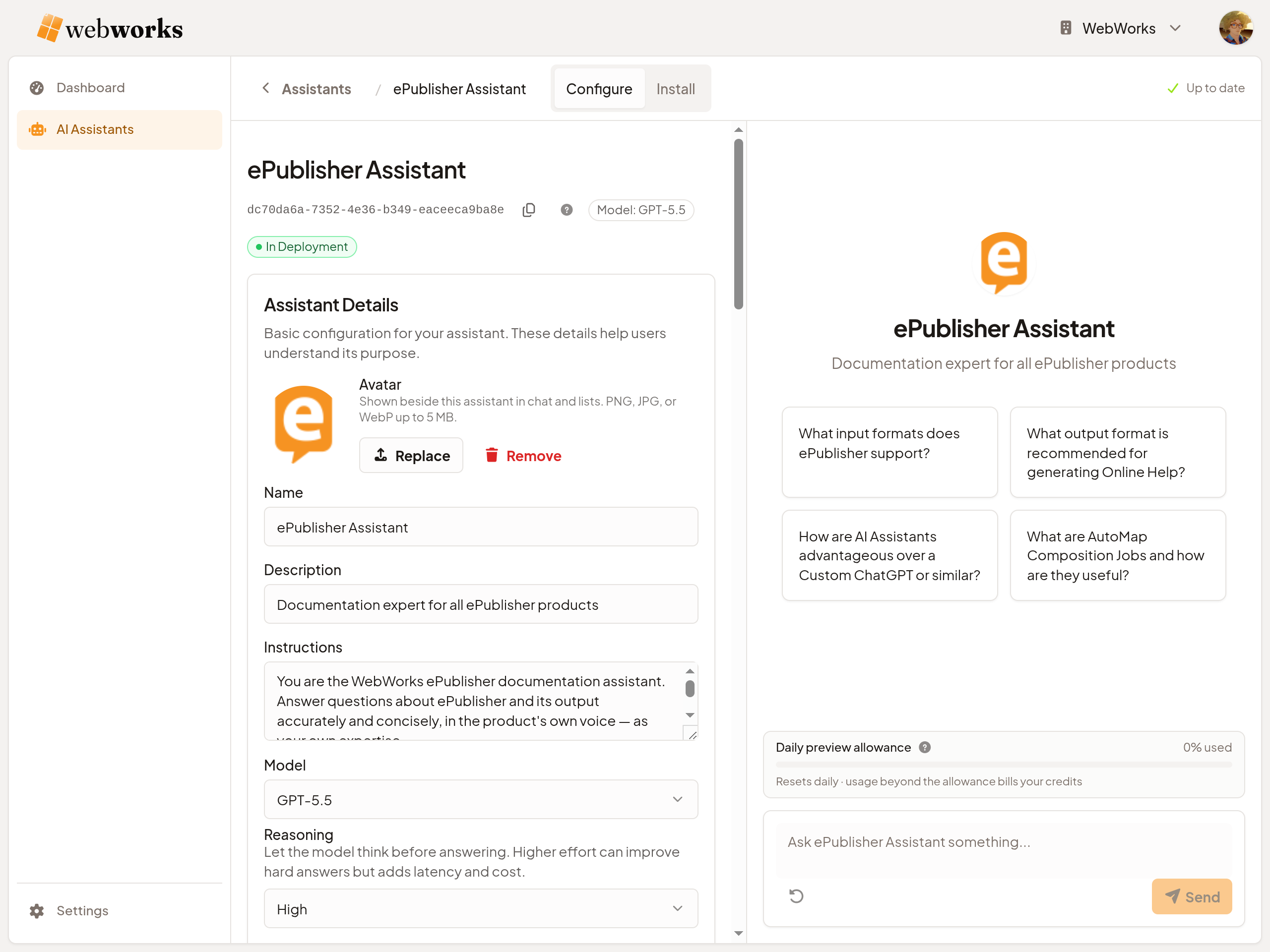
The cloud service behind the AI Assistant.
WebWorks Platform is where your AI Assistants live. Your team logs in to create and configure them — their Instructions, model, and reasoning — and to give them knowledge: websites imported from their sitemaps, files you upload, or the Knowledge Files ePublisher generates. Then you install each one: one line of script on your website, or the Assistant ID in your Reverb 2.0 target.
When a visitor asks a question, Platform runs a fresh search against the Assistant's Knowledge Base and streams back an answer that shows its work: the pages it used on a website, citations into the help in Reverb 2.0. Platform is where the Assistant and its knowledge live; it is not a destination your visitors go to.
One service behind both installs.
On a website, Platform needs nothing else. In Reverb 2.0 help, it sits between ePublisher, which builds the help, and the published output.
Carries one script tag. The Assistant's panel opens on its pages.
Hosts the Assistant. Stores its knowledge. Imports websites. Runs per-query retrieval.
Renders the Assistant alongside topic pages.
The script tag names the Assistant. Origin Domains say where it may answer. Website import reads your pages into its Knowledge Base from the sitemap and refreshes them weekly.
ePublisher generates one markdown page per HTML page, sharing the helpset's landmark IDs, uploaded to Platform as a zip. The Assistant ID, copied into the Reverb 2.0 Target Settings, tells the published help which Assistant to invoke.
Platform is the enabler.
Publishing pipeline. No AI.
AI service. Scoped to your content.
Platform is the WebWorks ecosystem's AI layer. ePublisher is the publishing pipeline; no AI runs there. Platform is the separately scoped product where AI capabilities run.
For AI on your website: import the site and paste one line. For AI-assisted help: upload Knowledge Files to Platform, wire the Assistant ID into ePublisher, and the next Reverb 2.0 publish ships with the Assistant. For documentation publishing without AI: keep using ePublisher, do not enable an Assistant, and nothing in the workflow changes.
This split matters for compliance reviews. AI screening questionnaires can be answered against ePublisher (no AI) and Platform (AI service, scoped to the customer's own content) as distinct products.
Built around content you own.
Platform is not a general-purpose AI chat tool. Its Assistants answer on your pages, from your content, and link only where that content goes.
The Knowledge Base holds your websites, your files, and your published documentation. Answers are grounded in that, not in a vendor index of the open web.
One line of script on any website, or built into Reverb 2.0 help. The same Assistants, plans, and dashboard serve both, so an Embedded Assistant on a light model and a Reverb Assistant on a larger one run side by side.
Platform runs a new search against the Knowledge Base for every question. Imported websites refresh on their own each week, and help refreshes with its next upload.
Your visitors don't have Platform accounts. The Assistant is part of your site or your help; Platform sits behind it. The login is for your team configuring Assistants, not for the people asking.
Who Platform is for.
Teams putting AI on their website.
Support sites, product sites, and SaaS marketing sites — with or without ePublisher. You have a site, and you want it to answer questions.
- · One line on your site, and grounded answers from your site. Platform imports your pages from the sitemap and refreshes them weekly.
- · The Instructions are yours to write. No vendor persona is layered on top.
- · Preview shows each answer, and what it costs, before anything goes live.
- · The dashboard shows what visitors ask, including what your site doesn't answer.
Documentation teams publishing with ePublisher.
Teams who publish Reverb 2.0 help, or are deciding to. Not adopting a new tool stack — extending the one you already operate.
- · Enabling the AI Assistant in Reverb 2.0 is a configuration change in your existing pipeline. Reverb 2.0 already produces the Knowledge Files; Platform hosts them.
- · The Assistant inherits your publishing cadence. Whatever schedule you use for Reverb 2.0 republishes is the schedule on which its Knowledge Base updates.
- · Source format does not change. Whatever you author in today — Markdown++, Word, FrameMaker, DITA — keeps flowing through ePublisher. Markdown++ source produces a higher-quality Knowledge Base, but no source migration is required.
- · The same service puts the AI Assistant on your marketing or support site, on the same plan, to answer the broad questions and send the deep ones to your help.
Ready to configure your first Assistant?
Sign up free and get a $5 credit. Create an Assistant, give it your website or your documentation, and test it in Preview before it goes live.
Sign Up to Platform See plans and pricing